R41 STTR
The R41 STTR Breast Reconstruction Program is a surgical planning and patient consultation tool developed for UT MD Anderson. The University of Houston UX Lab was tasked with redesigning the existing software to make it more functional and usable for the clinical teams that rely on it. My goal was to modernize the visual design while keeping the interface efficient and accessible for everyone from reconstructive surgeons to physician assistants.
I contributed to the icon design and color palette, created three lo-fi screens, and developed a high-fidelity redesign focused on making the interface feel familiar, clean, and professional without getting in the way of the clinical work it supports.
redesigning software that surgeons use every day
The STTR Breast Reconstruction Program was built to support surgical planning and patient consultations at MD Anderson. It works, but it wasn't built with modern UI standards in mind. MD Anderson came to the University of Houston Lab with a clear ask: redesign the interface so the program could better support visualization, measurements, and simulations, without getting in the way of the people using it.
The end users aren't casual app users but actual reconstructive surgeons, clinicians, physician assistants, and nurses who need to make precise decisions quickly in high-stakes environments. The redesign had to feel intuitive to someone already comfortable with professional software while reducing friction and improving clarity throughout.
Reconstructive Surgeons
Primary users of the surgical planning and simulation tools. Need fast, accurate visualization of 3D models and measurements without the interface competing for their attention.
Clinicians
Use the program for patient consultations and reviewing imaging data. Need an interface that communicates clearly without requiring deep technical knowledge of the tool itself.
Physician Assistants and Nurses
Support roles that interact with the program during patient prep and follow-up. Keyboard navigation and quick-access controls are especially important for this group.
what we aligned on before touching the interface
As a team of 8 designers, we broke the redesign into core areas of focus before anyone started putting pixels down. These became the shared constraints that kept all our designs pulling in the same direction, even when our individual approaches looked different.
- Color scheme appropriate for a clinical environment
- Typography that scales well across dense data views
- Layout familiar enough to reduce onboarding time
- Sufficient contrast ratios throughout
- Full keyboard navigation for all core functions
- Clear visual feedback for every interactive state
- Feedback states for every interactive element
- Self-containing widgets to reduce context switching
- Icons that are recognizable over clever
icons and color palette: collaborative decisions that shaped everything
Across the team, we worked together on the icon set and color palette before splitting into individual screen designs. I contributed to both, which meant a lot of back-and-forth to make sure things stayed consistent as each of us worked through our own flows.
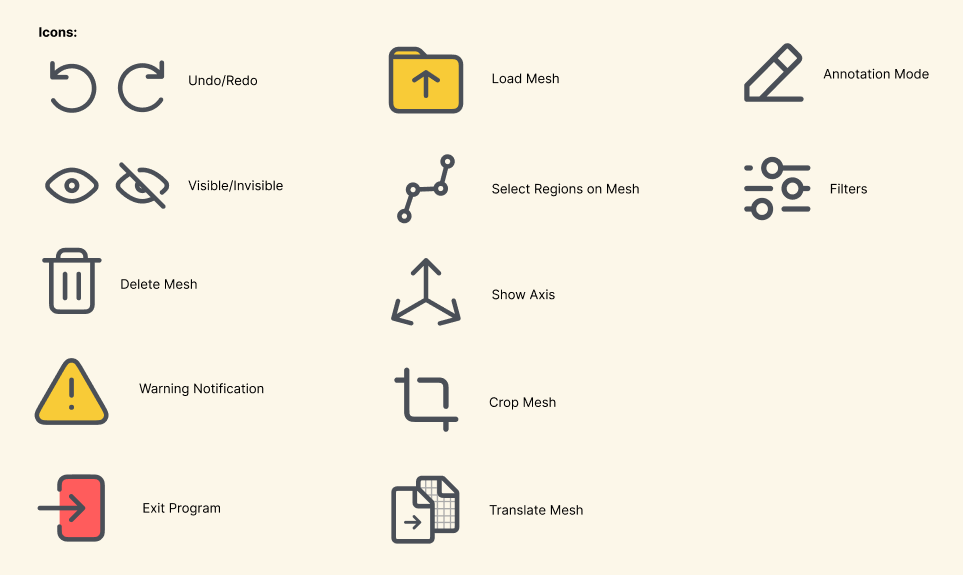
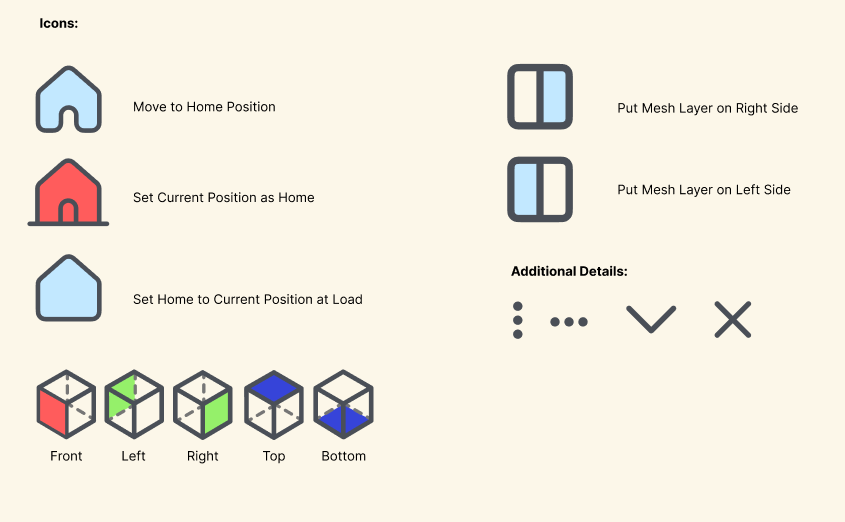
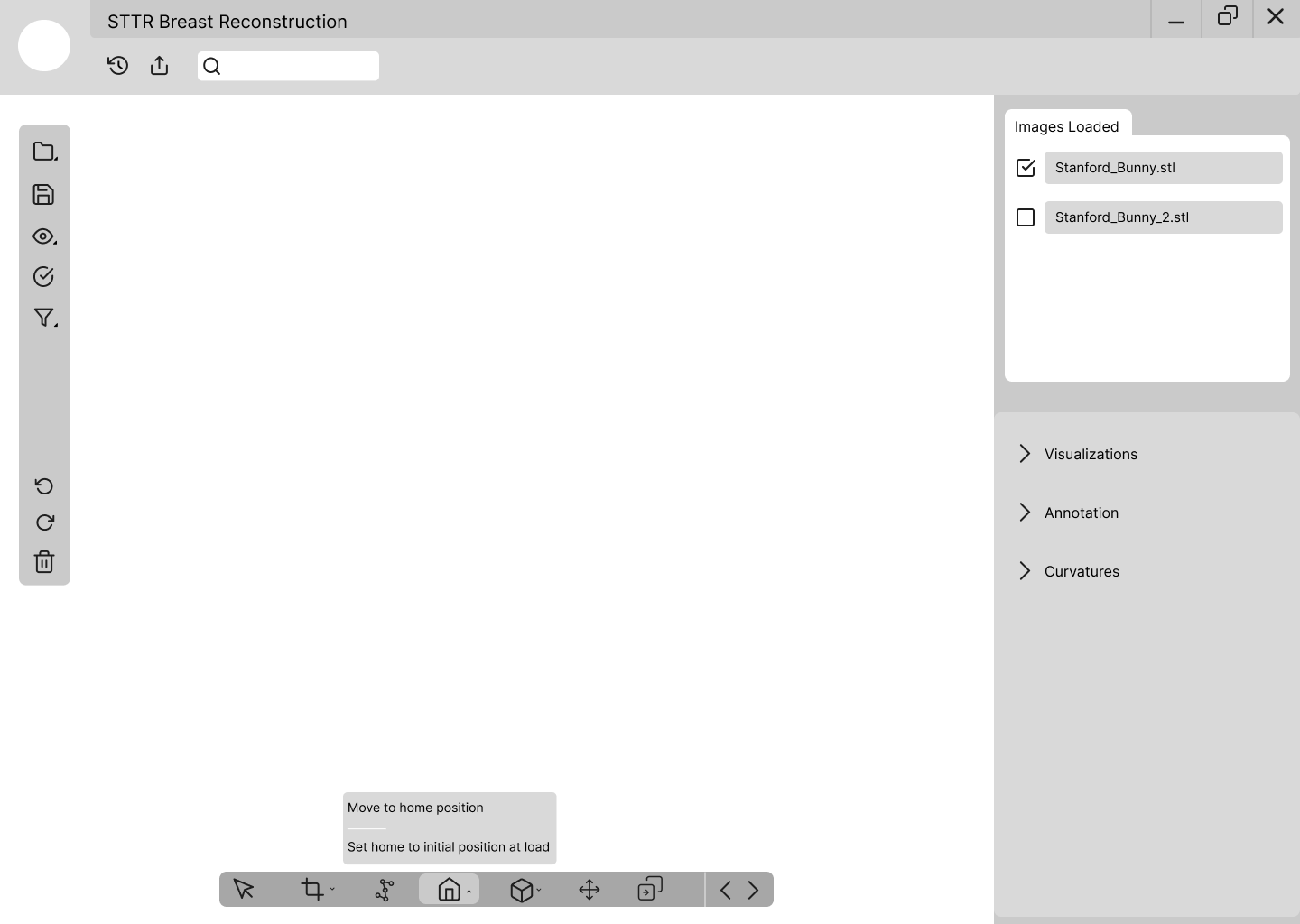
For the icons, we kept everything consistent with a rounded, line-based style. Each one needed to be immediately recognizable to someone already familiar with professional desktop tools. We leaned on familiar metaphors: a folder icon for loading files, an eye for visibility, a trash bin for delete, rather than inventing new conventions. In a clinical environment, any hesitation over an unfamiliar icon is a real problem. We also condensed related actions into grouped expandable buttons, like the House icon containing both home position options, to reduce toolbar clutter without hiding features behind deep menus.
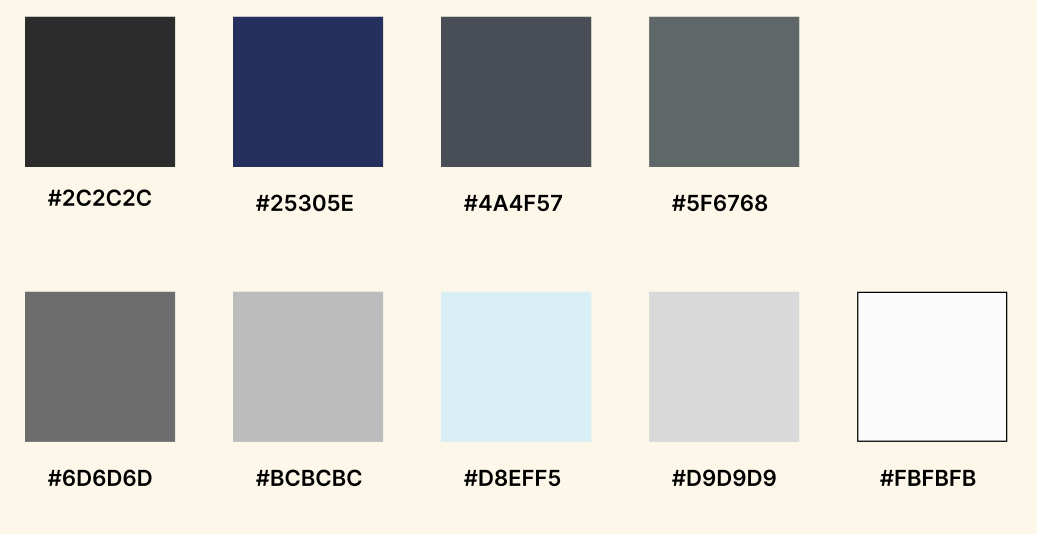
For the palette, we went dark. A near-black base (#2C2C2C, #25305E) with structured grays and a light blue accent (#D8EFF5) was a deliberate call. The whole point of the program is to let the 3D mesh model be the visual focal point of every screen. A bright or busy interface would compete with the model for attention, which is the last thing a surgeon needs during a planning session. The dark background pulls the model forward and keeps the UI firmly in its supporting role. The light blue accent adds just enough life to feel modern without pulling focus away from the work.
lo-fidelity: getting the layout right before going visual
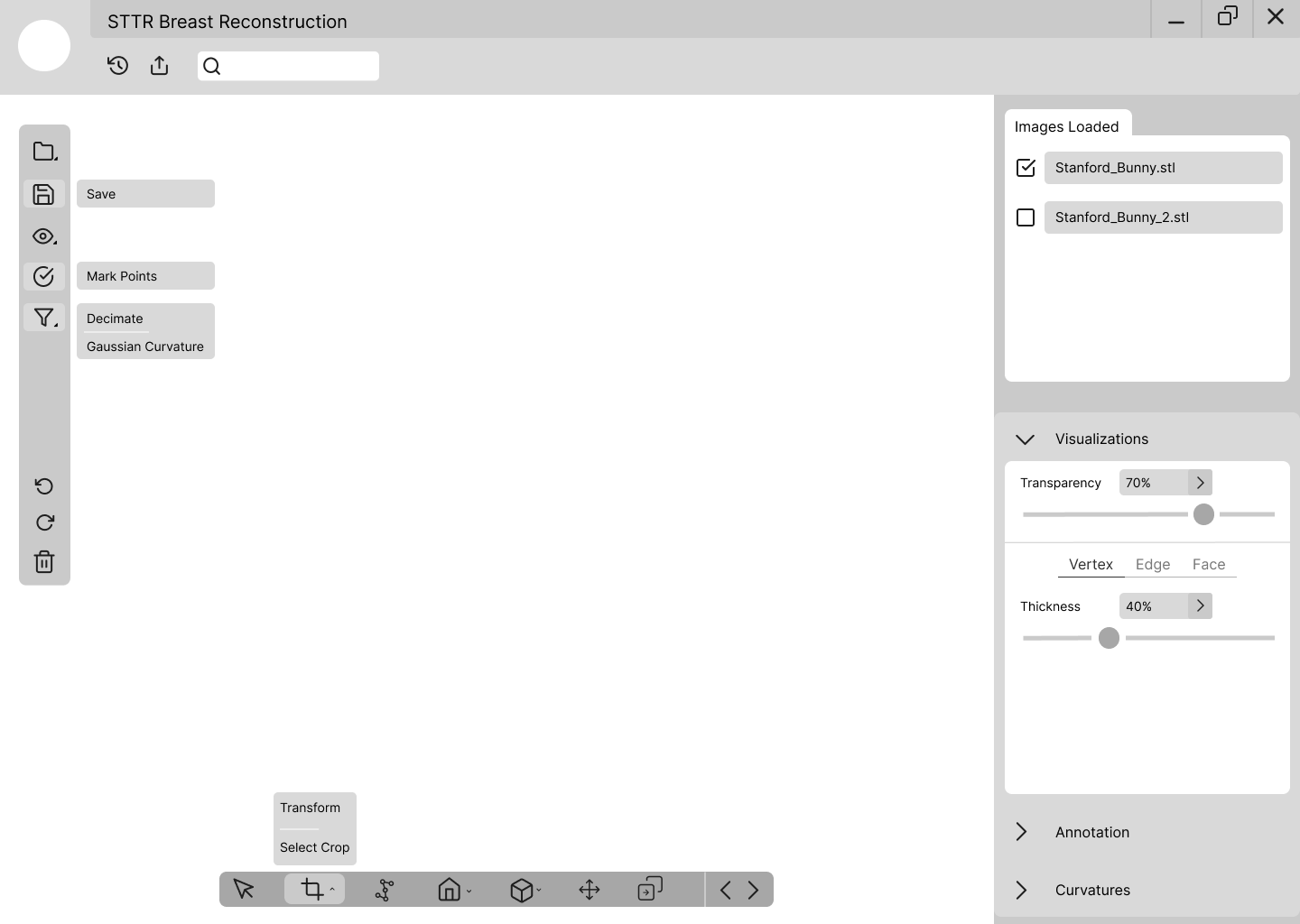
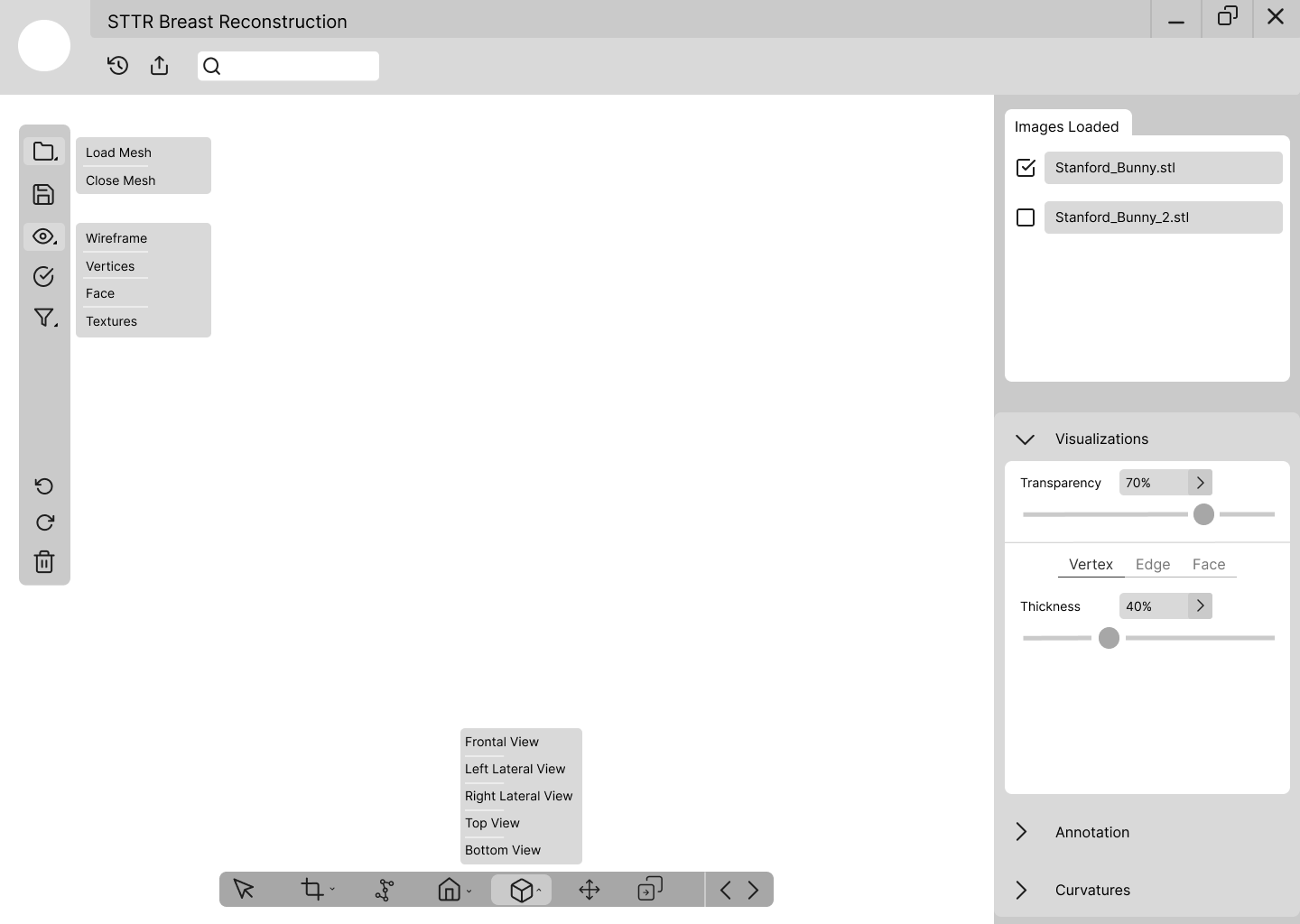
I created three lo-fi screens covering the main views users would need access to. The layout was directly inspired by tools like Google Docs and Photoshop, applications that clinicians and design-adjacent professionals are already familiar with. A left-side toolbar, a central viewport for the 3D model, and a right-side panel for controls and file management. That structure doesn't ask users to learn a new mental model, which matters a lot when the people using this software are focused on patients rather than on figuring out an interface.
high-fidelity: making the interface actually feel clinical
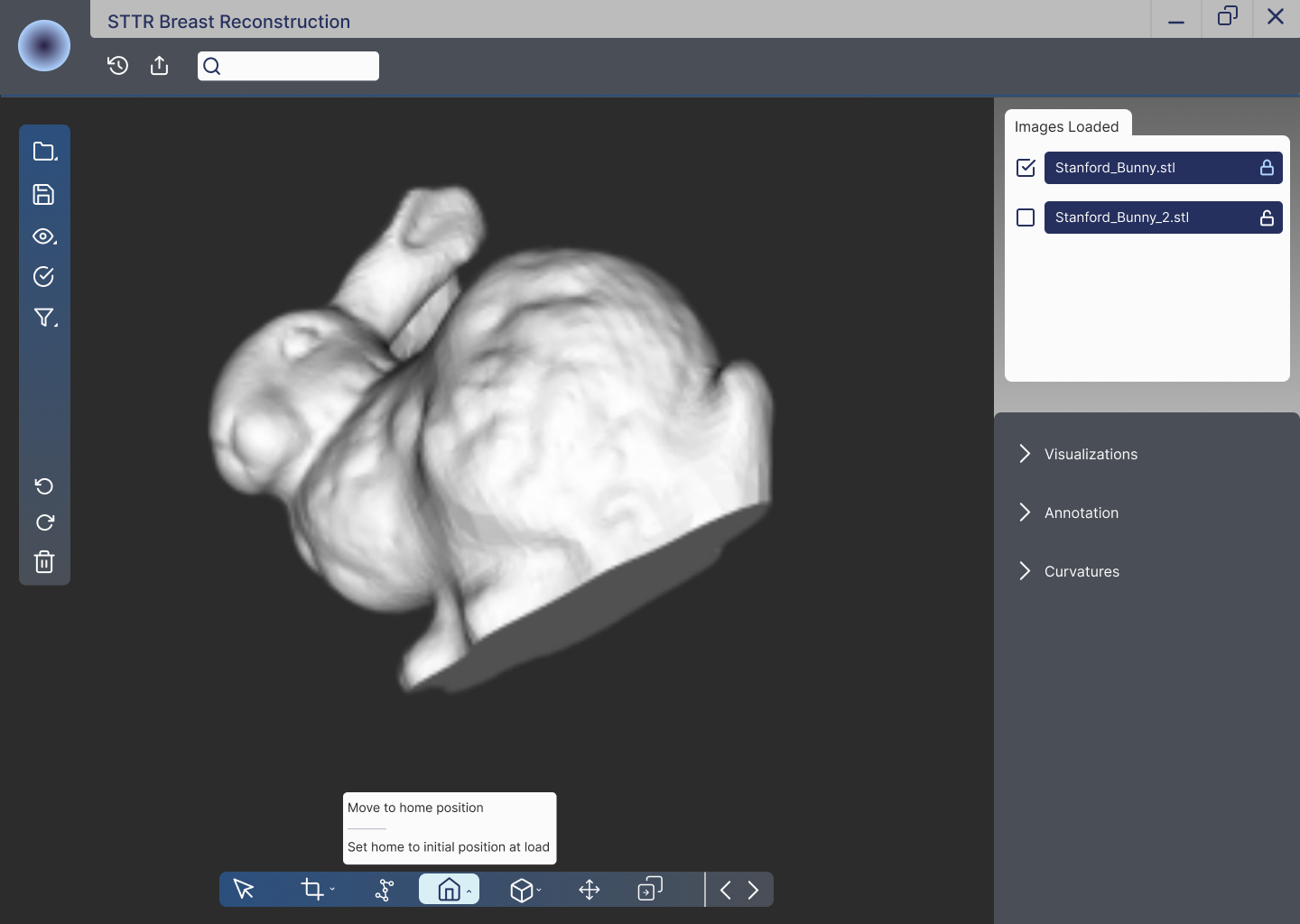
The high-fidelity redesign brought everything together. The dark background lets the 3D model breathe. The side panels keep controls organized without cluttering the main workspace. The bottom toolbar condenses multiple actions into a clean, labeled icon bar. Everything was designed to stay out of the way when it isn't needed and be immediately accessible when it is.
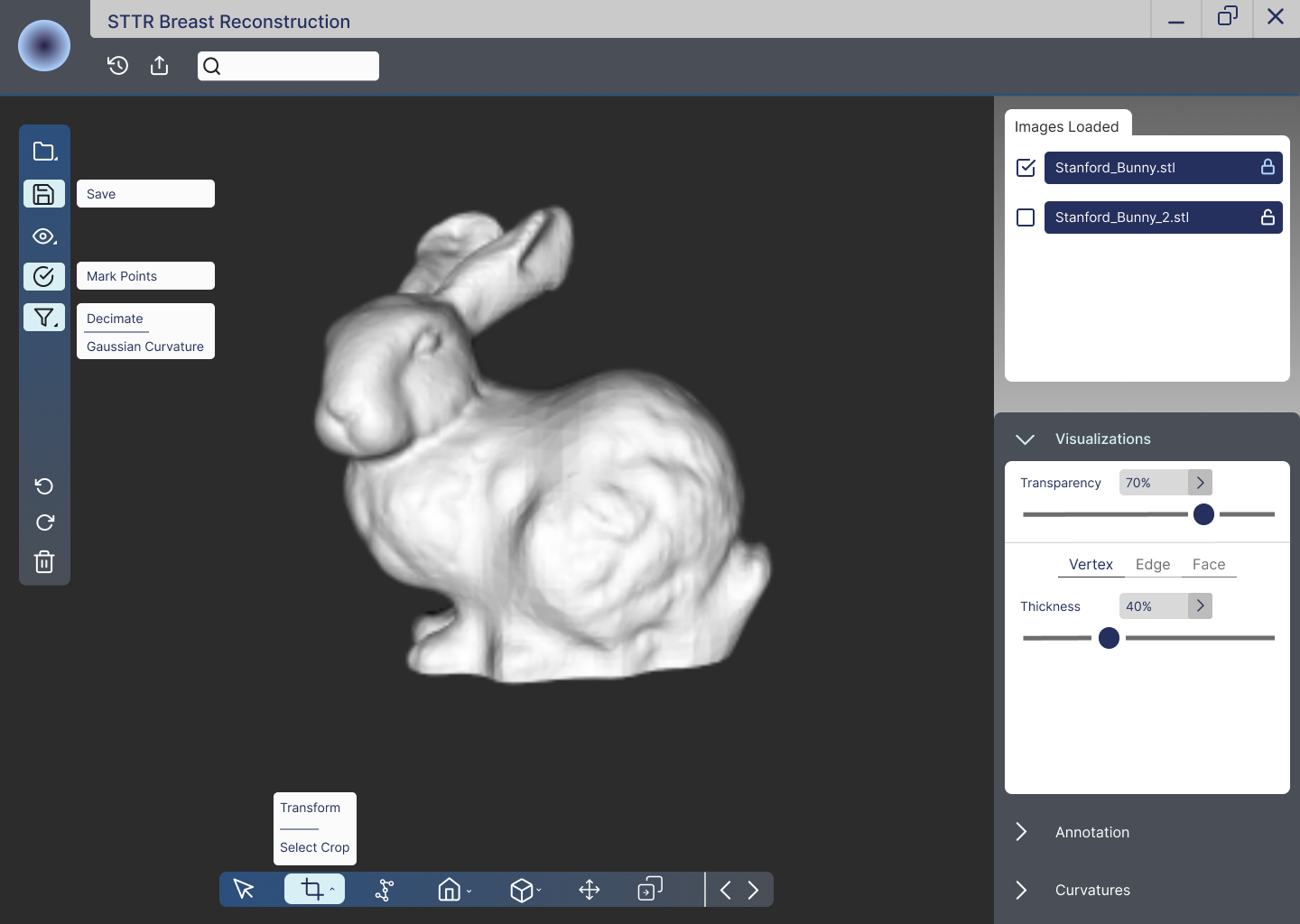
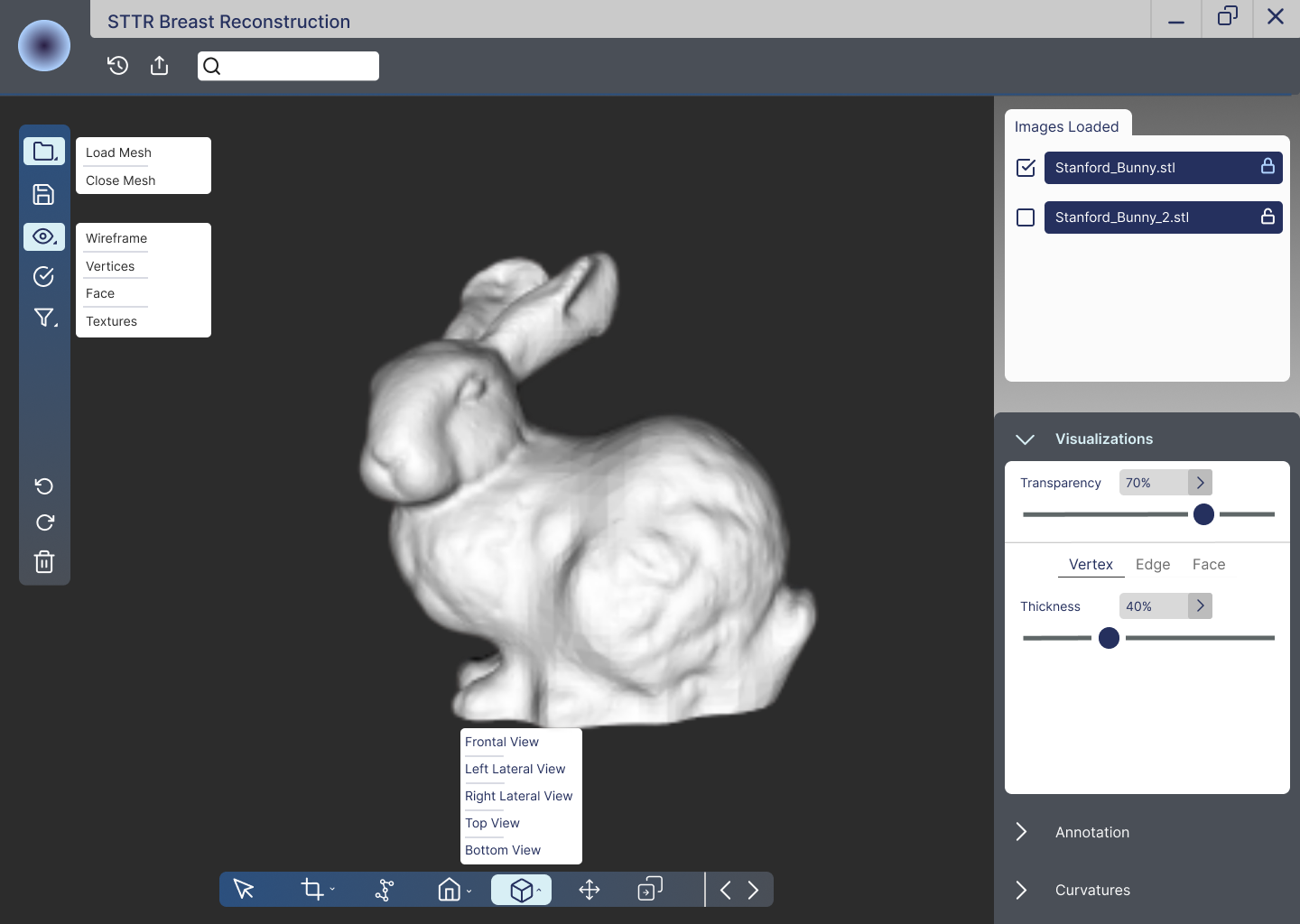
- Dark primary background makes the 3D mesh model the visual focal point of every screen, keeping the UI in a supporting role rather than competing with the clinical content
- Grouped expandable buttons reduce toolbar clutter while keeping every feature accessible. The House icon contains both home-position options; the Cube icon holds all different view states. Related features stay together without adding navigation steps
- Active state highlighting on selected tools makes it immediately clear what mode the user is in, reducing the chance of errors in a high-stakes environment where mode confusion matters
- Checkboxed file list in the Images Loaded panel lets surgeons manage multiple mesh files and toggle visibility without losing their current view or context
- Collapsible right-side panels for Visualizations, Annotation, and Curvatures keep the workspace clean while keeping advanced features within one click for users who need them
what it means to design for real healthcare professionals
This was a completely different experience from any class project I had worked on before. Here's what stayed with me:
- Every design decision has real downstream consequences. When the software is used to plan breast reconstruction surgery, there's no "good enough." Icon placement, contrast ratios, and interaction patterns aren't just aesthetic choices here. They're functional ones that directly affect clinical workflows and, by extension, real patients.
- Team alignment is a design skill. Working in a lab with 8 designers, all approaching the same problem differently, meant learning how to communicate design decisions clearly enough that someone else could understand and build on them. It also meant being open to your ideas being used in part rather than in full.
- The client picking features from multiple mockups showed me what real design collaboration looks like. MD Anderson didn't have to choose one designer's work wholesale. They mixed and matched the best parts from everyone's designs. That only works when the whole team is working from the same shared constraints and vocabulary from the start.
- Accessibility isn't optional in healthcare software. Keyboard navigation and contrast ratios aren't nice-to-haves when users are clinicians in fast-moving environments. That reframing stuck with me and changed how I think about accessibility requirements across any project I work on.
- Familiar layouts lower onboarding cost in professional tools. Borrowing from Photoshop and Google Docs wasn't a lazy shortcut. It was a deliberate decision to reduce the time users spend learning an interface so they can spend more time on actual patient care.
designing for something that actually matters
STTR was the most meaningful project I worked on in terms of real-world impact. Knowing that the tool we were redesigning helps surgeons plan breast reconstruction procedures for cancer patients made every design decision feel more weighted. That wasn't a bad thing. It sharpened my focus and made me more deliberate about every call I made.
Working inside a real lab with a real client also showed me the gap between designing something that looks good and designing something that actually serves its users under high-stakes conditions. Those aren't always the same thing. Closing that gap, even partially, is what I want to keep building toward. This project is the clearest example I have of why design done well can contribute to something genuinely important.