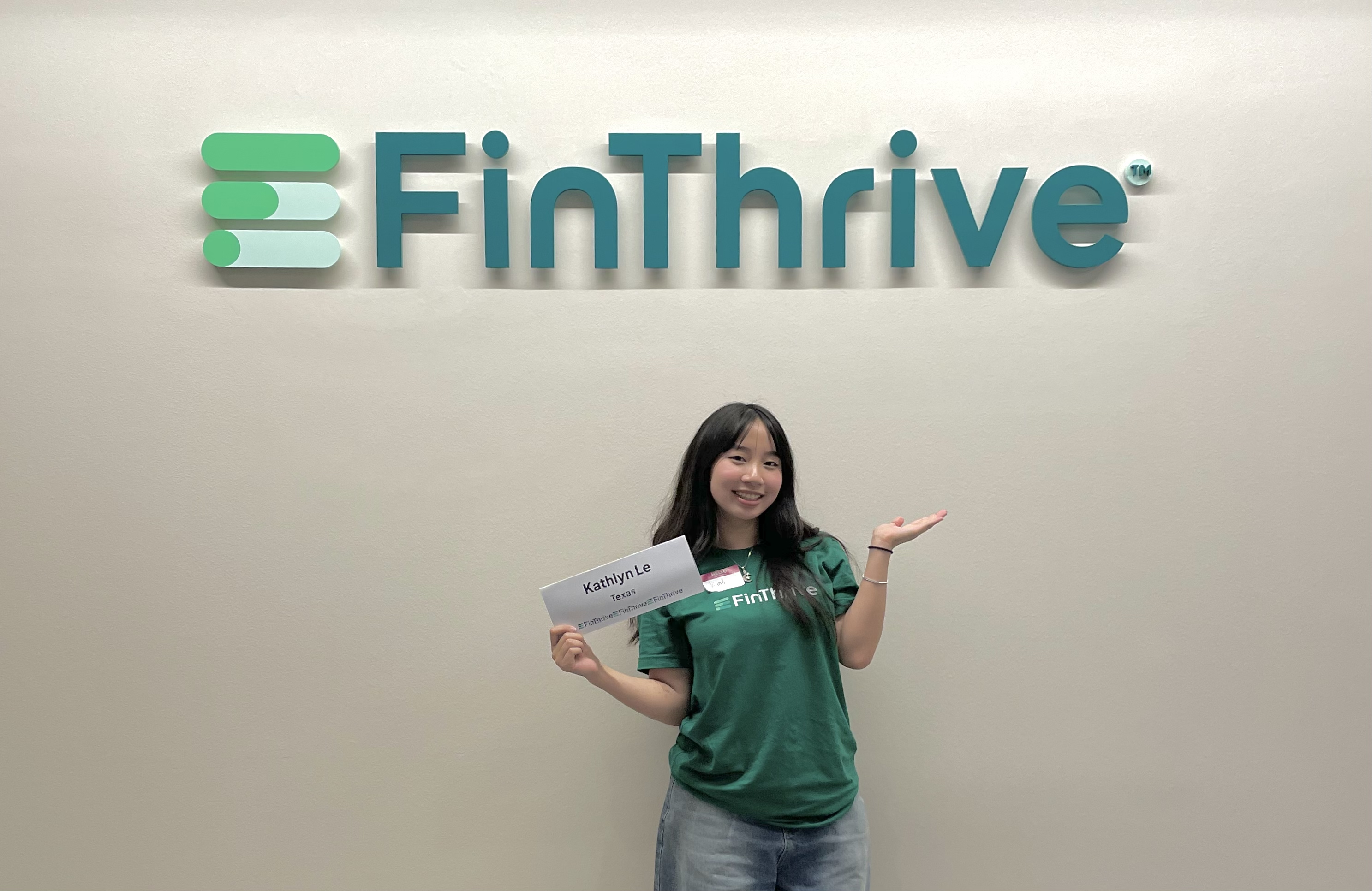
FinThrive
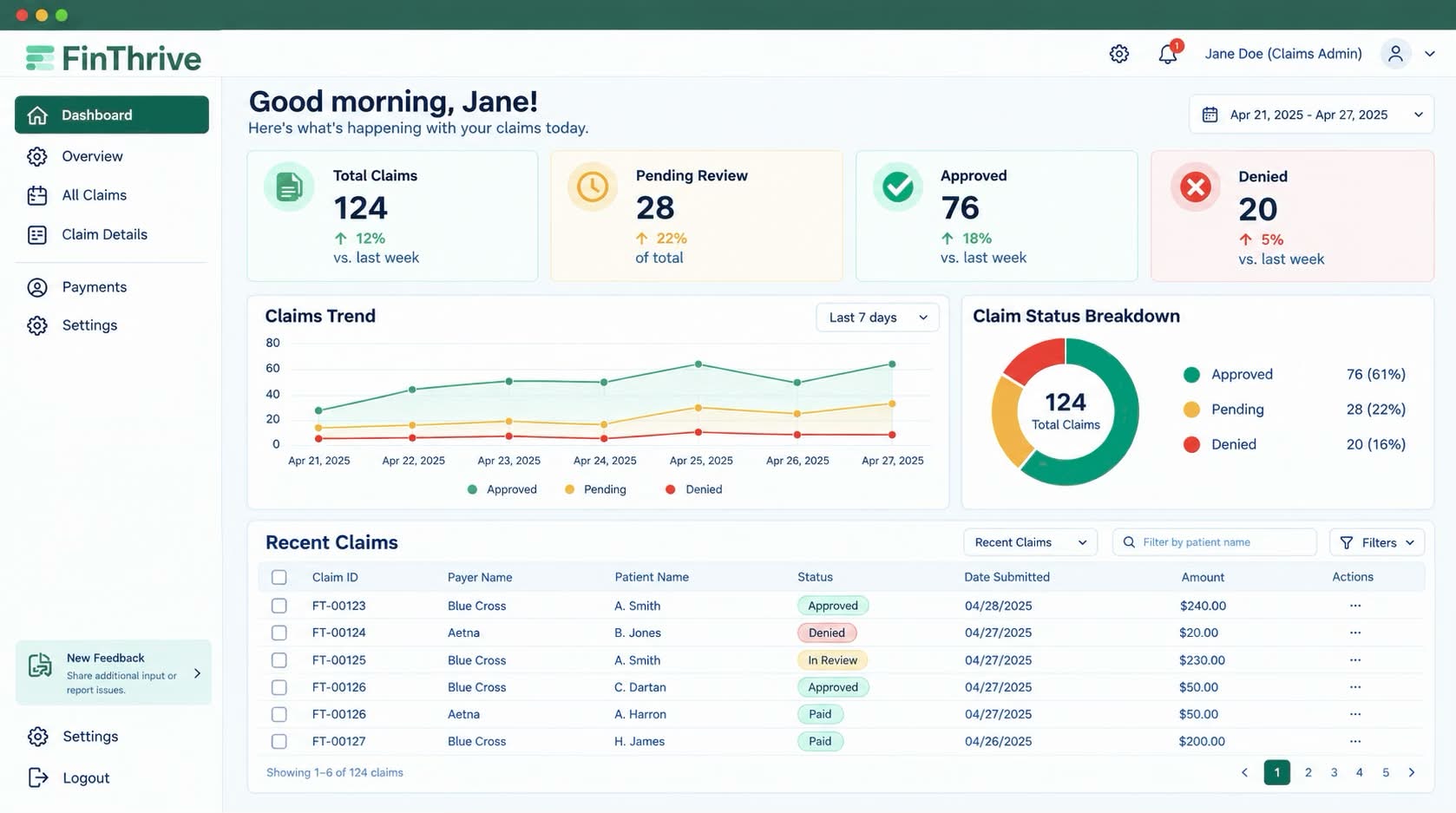
FinThrive is a healthcare revenue management platform serving hospitals, health systems, and physician practices across the United States. During my six-month internship on the product design team, my anchor project was redesigning the Claims Dashboard: the screen revenue cycle analysts spend most of their day inside, tracking denied claims, monitoring payer performance, and deciding where to spend their time.
This case study walks through that redesign in depth, then covers two shorter pieces of additional work (an AI chatbot and a mobile dark mode) that shaped the rest of my internship.
revenue cycle analysts were losing time inside their most-used screen
Revenue cycle analysts and platform admins are inside FinThrive's Claims Dashboard every single day. Their workflow boils down to a few high-frequency actions:
- Check whether a specific claim is approved, denied, in review, or paid
- Track denial trends over time so they can spot payers that need attention
- Drill into a single claim to figure out why it got rejected
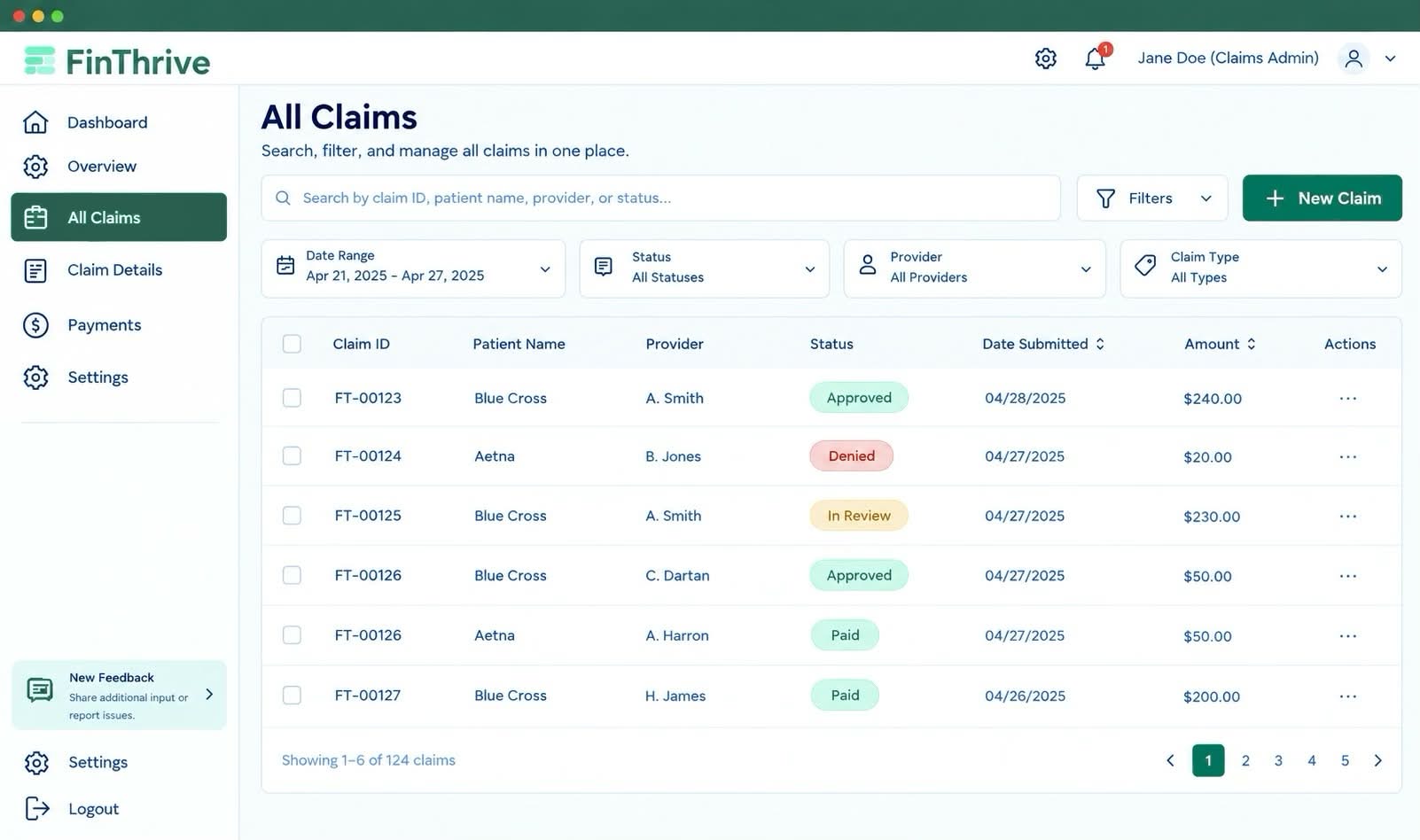
- Export filtered views to send to their teams
My job, alongside another product designer, was to redesign the screen from the FigJam kickoff through a fully built prototype the engineering team could hand off. Around it, I also handled cross-team design tickets, kept the design system components healthy (they had drifted since FinThrive's 2021 acquisition), and shipped the two additional pieces of work you'll see later.
how i approached the work
Working across multiple product teams inside an established design system shaped a few habits that carried through every project I touched, the Claims Dashboard included:
- Learn the domain before touching the design. Healthcare finance has its own vocabulary: revenue cycle, denial management, remittance, payer contracts. I spent the first few weeks understanding what users actually did before forming opinions about the design. That investment paid off every time I had to defend a decision in a stakeholder review.
- Absorb feedback continuously, not just at checkpoints. FinThrive's process ran on regular stakeholder reviews, but the most useful feedback came from informal conversations with engineers and PMs in between. Adjusting as I went meant fewer surprise rewrites at the end of a cycle.
- Own the feature, not just the screen. I was expected to think through edge cases, flag gaps, and stay involved after handoff, not hand over a Figma file and walk away. That reframed what "done" meant on every project.
key designs that actually made a change
I contributed to several key features by starting with low-fidelity wireframes and gradually refining them into higher-fidelity designs based on feedback from teammates and stakeholders. This iterative process helped ensure that ideas were tested early, aligned with product goals, and improved through multiple rounds of critique before moving into more polished solutions.
Who was struggling, and why
Revenue cycle analysts and platform admins used this screen every day to check claim statuses, track denial trends across payers, drill into individual claims, and export filtered views for their teams. In the incumbent dashboard, filters were long and hard to remember, the hierarchy was inconsistent, comparing payers required visual gymnastics, and drilling into a claim broke context. Every second of friction added up: unworked denied claims are lost revenue for the hospital, and analysts are measured on how fast they can move through their queue.
My role and where I collaborated
I paired with another product designer on this project from the FigJam kickoff through the fully built prototype. Rough ownership split:
What I owned: interaction design for the filter system, the drill-through pattern, and the tradeoff calls documented below.
What we co-owned: the FigJam sessions where we mapped user pain points and goals against Power BI constraints, plus every upstream design decision.
What engineering owned: technical implementation and the Power BI plumbing.
How I approached it
Defined core user flows for how analysts navigate filters, drill into claims, and compare payer data, all grounded in real behavior surfaced in the FigJam sessions rather than what looked clean on paper.
Iterated through multiple feedback cycles with design and engineering, surfacing Power BI constraints that forced us to rethink filter and drill-down interaction patterns midway through.
Balanced ideal UX against technical feasibility at every round, so the final prototype was both practical for engineering to build and aligned with the user needs we mapped at the start.
How I validated it
Before handoff I ran a within-subjects A/B comparison on the Claims Dashboard with 8 opt-in FinThrive client testers — the same group across the initial survey, the A/B session, and the final high-fidelity round. Each tester completed the same five tasks on the old design and the new one, with the viewing order alternated to cancel learning effects.
Small opt-in sample — I treat these as a strong directional signal, not proof.
Three decisions I'd defend the loudest:
1. Summary cards over inline KPIs
We debated inlining KPIs with the table rows to keep everything in one place; research showed analysts almost always start their session by scanning the daily aggregate before drilling into specific rows, so the cards let them do that at a glance and then jump into the table without losing context.
2. Persistent top-bar filters, not a sidebar panel
I tested both patterns and found out that the sidebar lost because users repeatedly lost their scroll position when the filter panel sat next to the chart they were trying to compare against. While the top-bar keeps the analyst’s eye anchored to the data, and each active filter reads as a visible query state.
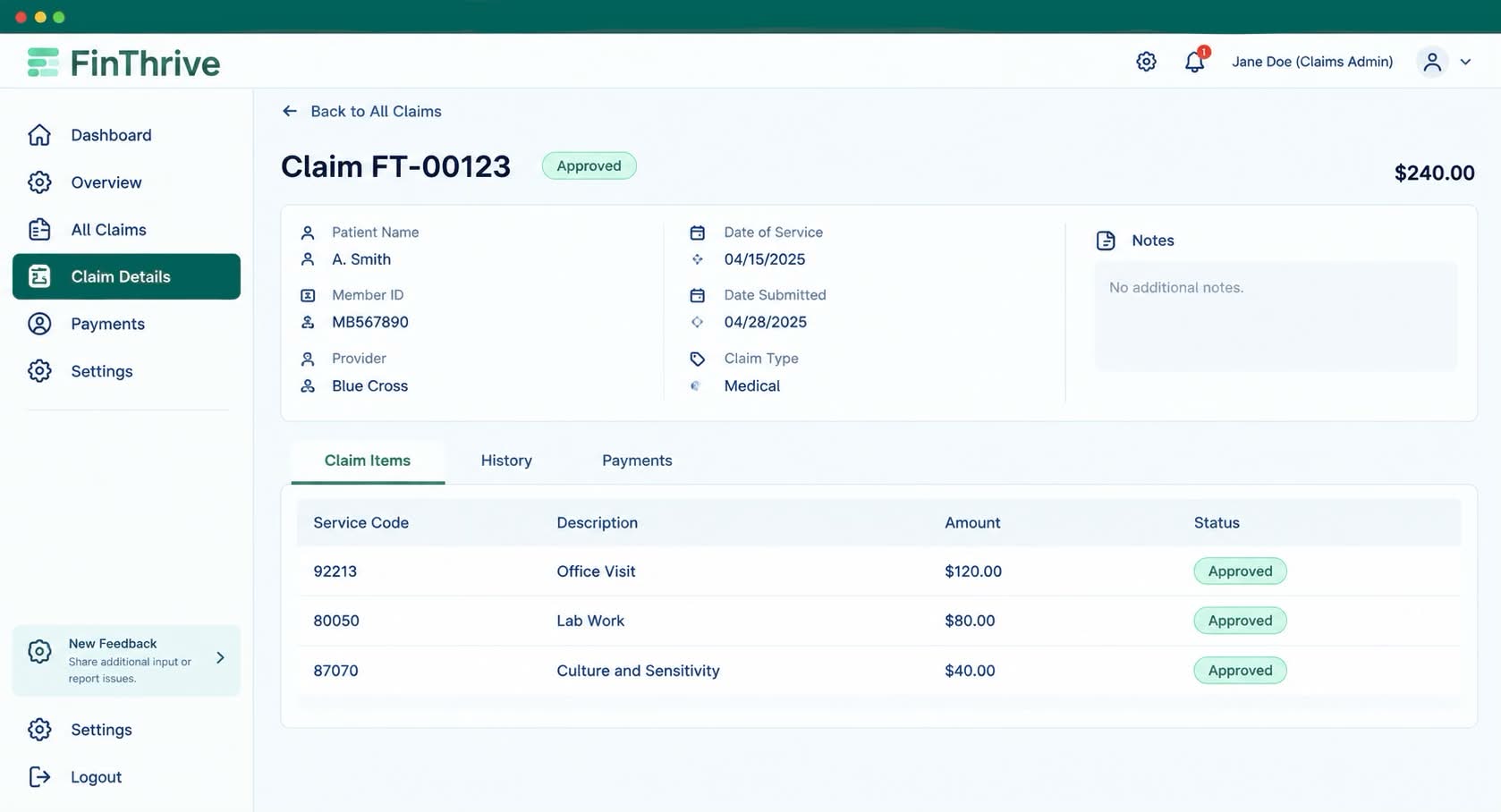
3. Full-page drill-through, not a modal or new tab
Analysts move between the aggregate and a single claim dozens of times a day and a modal or new tab could break that rhythm. The new format is a full-page view (back link, claim header, meta card, tabbed content) that keeps drill-down inside a single scrollable page and restores the prior filter state when the analyst returns to the list.
What changed as a result
The design was handed off ready to ship, with every interaction pattern and filter behavior validated across our own team and stakeholder reviews. Measured against industry benchmarks across the same 8 testers in a final high-fidelity round:
two shorter pieces that shaped the rest of my internship
Additional Design Work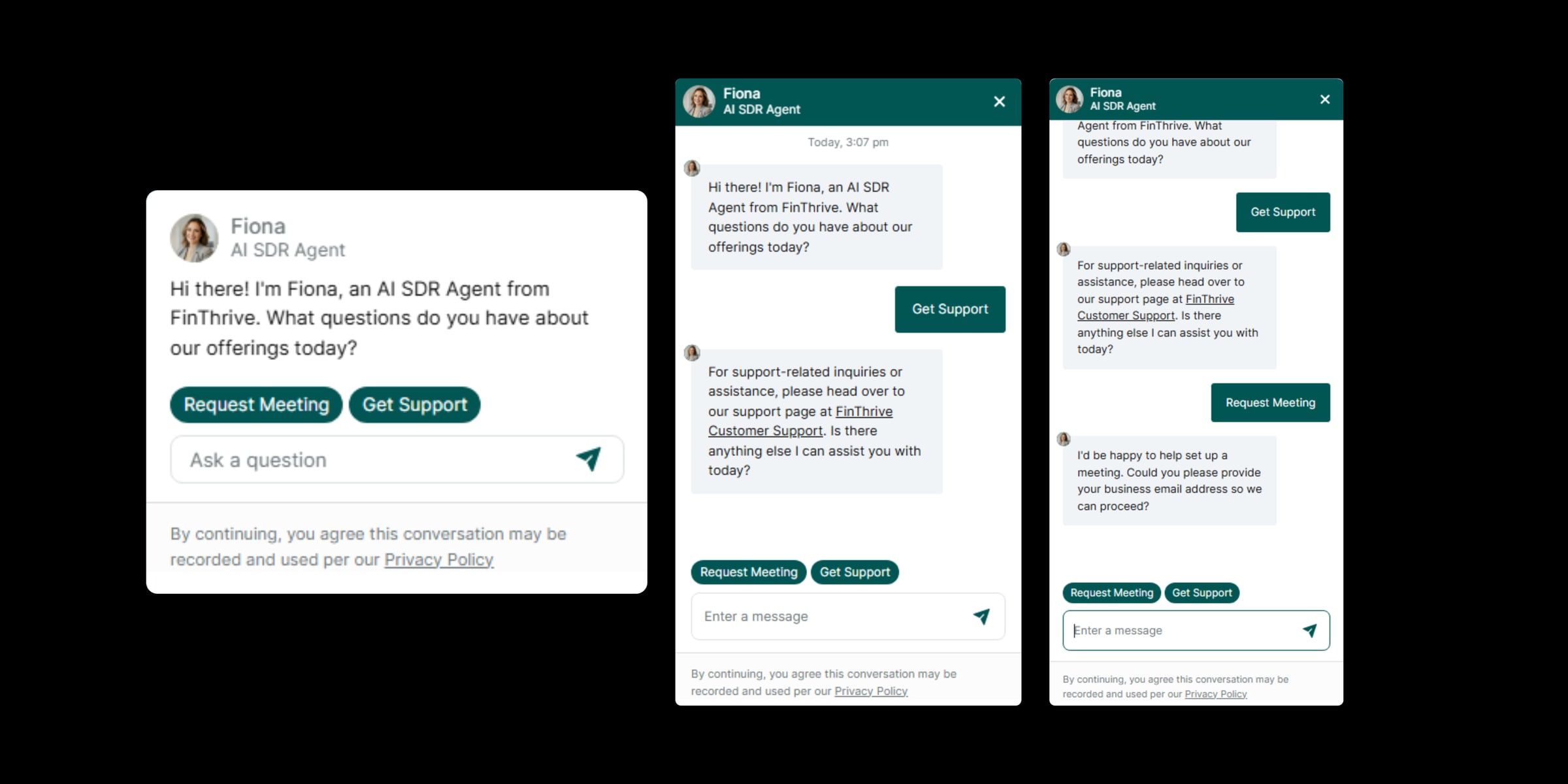

I designed the AI chatbot pattern for FinThrive's support surface, working from low-fi wireframes through a final interface aligned with industry-standard chatbot conventions. Two calls shaped it:
- Quick-start buttons as the anchor. Early validation showed users hesitated when they didn't know what to ask first, so the buttons prime the first move.
- Dynamic vertical expansion. The thread grows in place during longer support sessions instead of pushing prior context off screen.
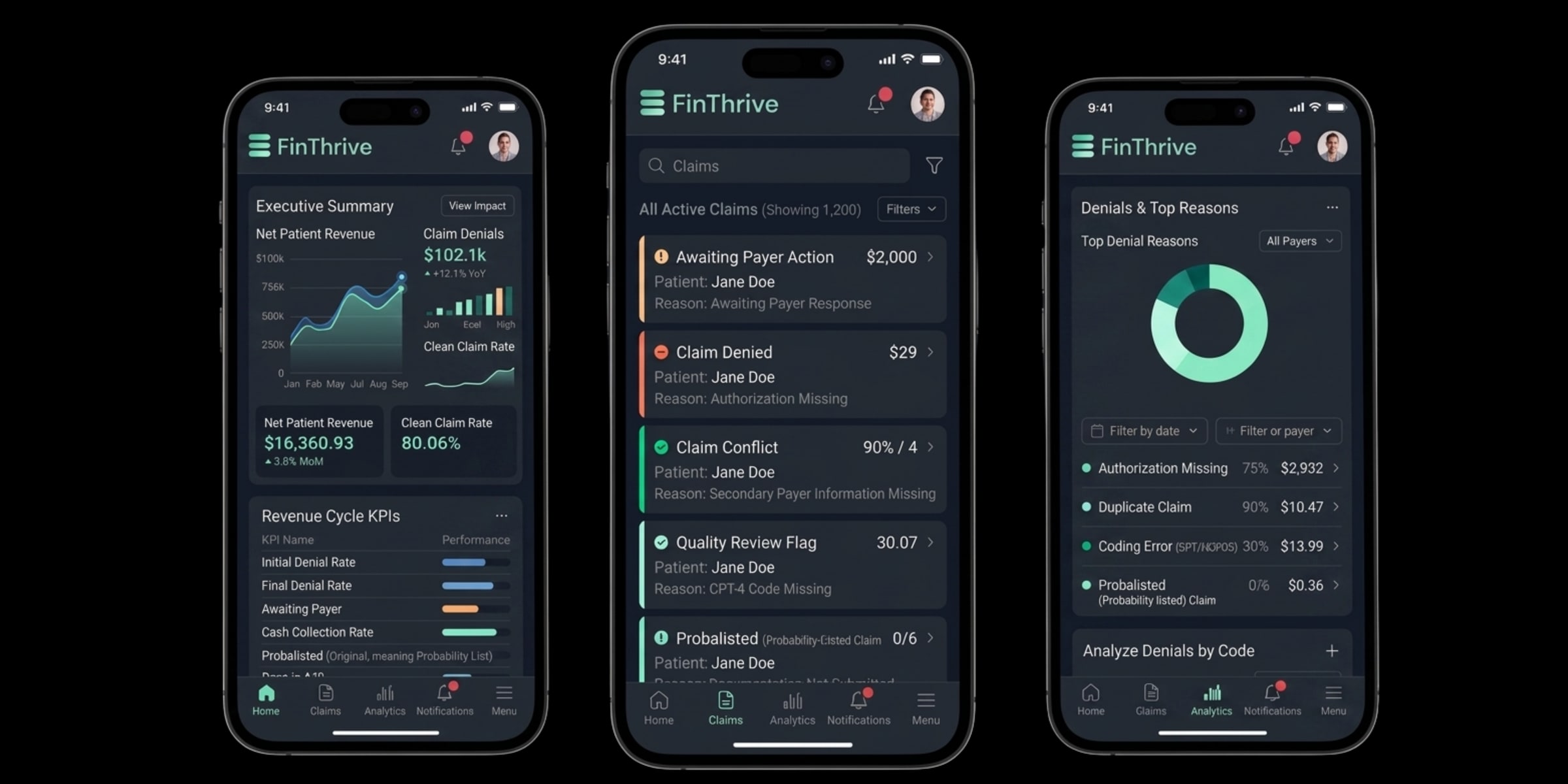
A full dark-mode prototype for the mobile experience. Two calls I'm glad I made:
- Token-mapped the existing light system instead of recoloring components from scratch. A 1:1 inversion broke several elevation cues in my first contrast tests.
- Handled disabled states with a desaturated surface instead of the obvious fix (lower text opacity), which crossed AA contrast thresholds.
six months of shipping real work
"Kathlyn brought a level of initiative and design quality that stood out immediately. She consistently delivered thoughtful, well-considered work and was a real contributor to the team."
Matt Rife, Product Design Managerwhat working in enterprise saas actually taught me
- Constraints are the design. In enterprise software the technical, compliance, and workflow constraints aren't obstacles to design around; they are the design. My best decisions came from understanding a constraint deeply, not working around it.
- Stakeholder communication is a design skill. Getting feedback incorporated and getting buy-in are two different things. Learning to present work so it moves a conversation forward, not just displays it, was as important as any visual decision I made.
- Six months is enough to see the whole cycle. I followed features from concept through iteration into handoff. That end-to-end view (including all the places where real projects diverge from the ideal) is something you only get from extended time at a real company.
the best design work happens inside systems you didn't build
FinThrive was working inside a system that already existed: legacy patterns, established components, real users, teams who had been shipping the product for years. Turns out that's most of what design work actually is. Learning to improve something without breaking what already works is a harder, more valuable skill than starting from scratch.